Scope decisions that carry their statutory basis
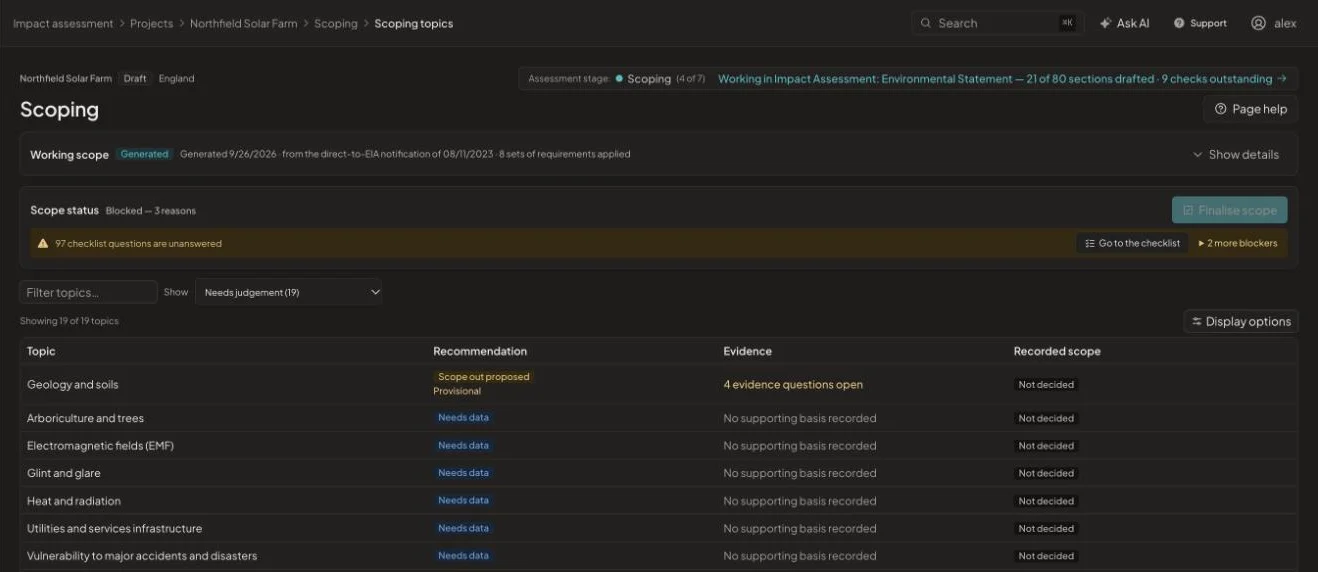
The platform proposes a scope from the consent route, jurisdiction and project facts. Your specialists confirm or override each topic, and every decision keeps the regulation and evidence it rests on.
What changes
Screening & scoping, before and after
Without it
- Scoping tables copied forward from the last project
- Reasons for scoping out buried in email threads
- Cumulative schemes tracked in a separate spreadsheet
With EcoSphere Intelligence
- A working scope generated from the project facts
- Every topic decision linked to its evidence and regulation
- Blockers listed before the scope can be finalised
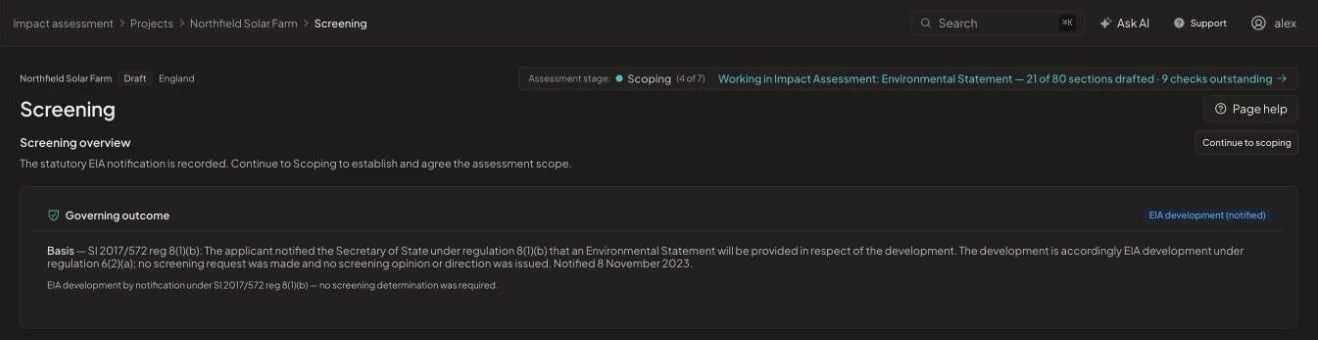
Screening, recorded with its basis
The governing screening outcome is stored with the regulation it relies on, for example notification under regulation 8(1)(b) of the 2017 Infrastructure Planning EIA Regulations, together with the date and any authority correspondence.
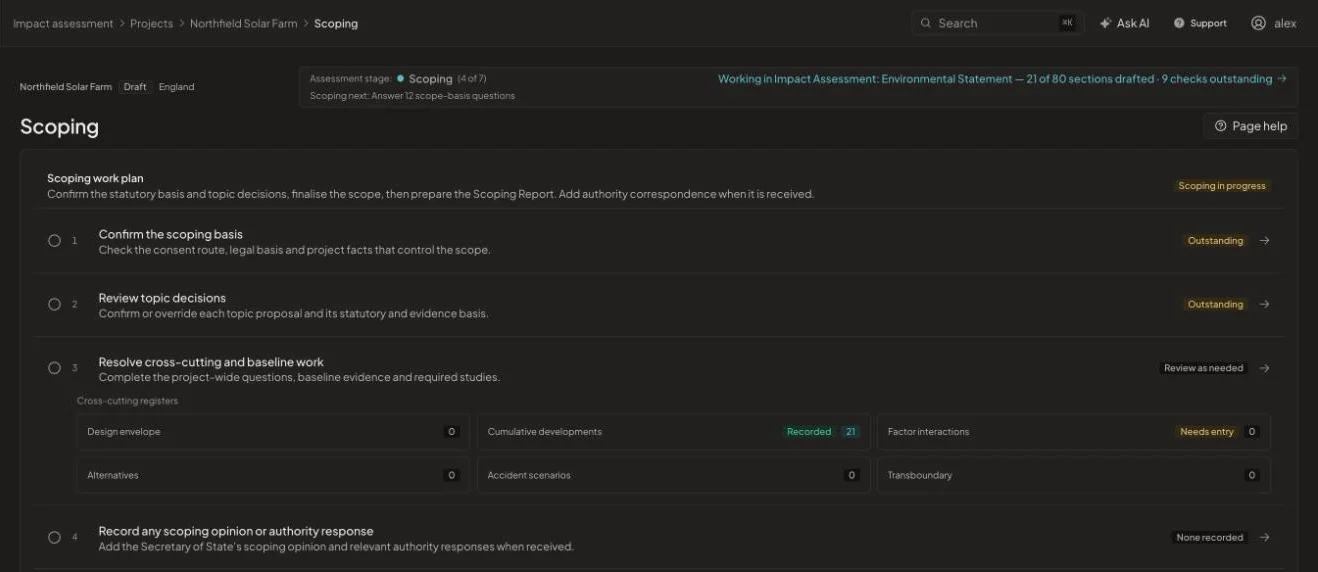
A scoping work plan your team can follow
Scoping runs as a checklist: confirm the basis, review topic decisions, resolve cross-cutting work such as the design envelope, cumulative developments, alternatives, accident scenarios and transboundary effects, then record the scoping opinion when it arrives.
- Topic proposals you confirm or override
- Evidence questions where project information is missing
- Scoping report assembled from the decisions
How it works
From start to issue in four steps
- 1
Set the consent route
TCPA, DCO or hybrid, jurisdiction and project type.
- 2
Record screening
Store the determination with its regulation and date.
- 3
Decide each topic
Confirm or override proposals, answering evidence questions as you go.
- 4
Finalise the scope
Clear the blockers and generate the scoping report.
See it on one of your projects
Book a 45-minute walkthrough. Bring a live or recent assessment and we will show you how it would run in EcoSphere Intelligence.