Run the assessment like the project it is
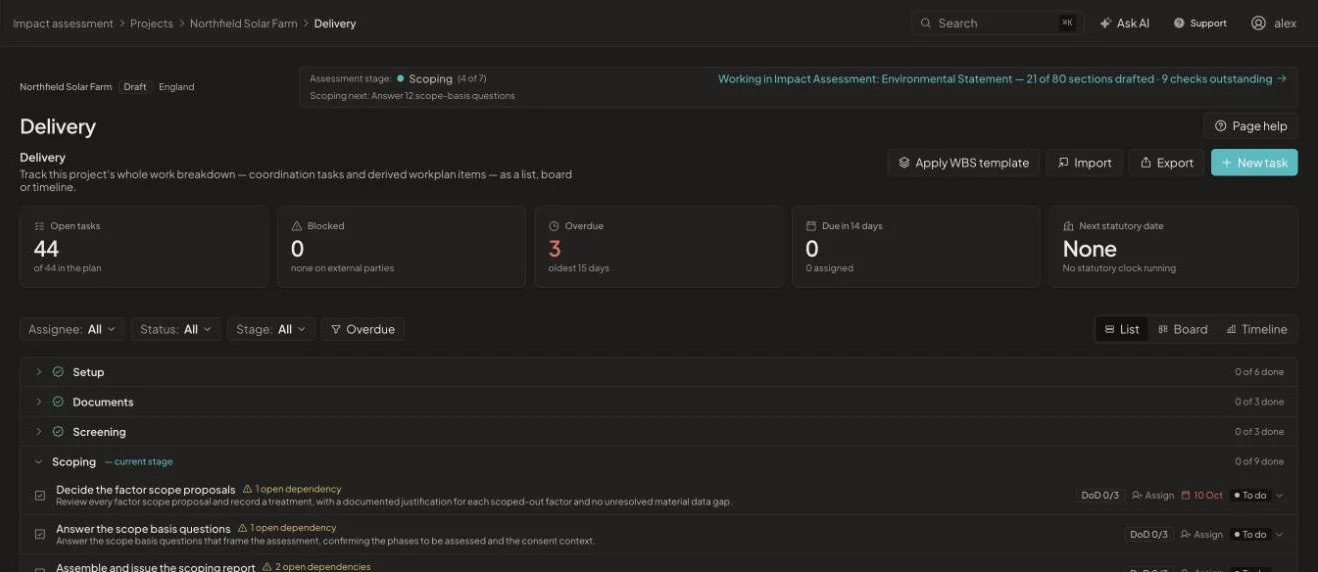
Tasks are derived from the lifecycle and your work breakdown, so the team sees what is open, blocked or overdue. Design changes, risks and decisions are recorded alongside, and project history keeps every change.
What changes
Delivery & controls, before and after
Without it
- A programme in one tool and the assessment in another
- Design changes agreed in meetings and never logged
- No record of who changed a decision, or when
With EcoSphere Intelligence
- Tasks grouped by lifecycle stage, with dependencies
- Design changes, risks and decisions in one place
- A history of every upload, run, decision and override
Project controls
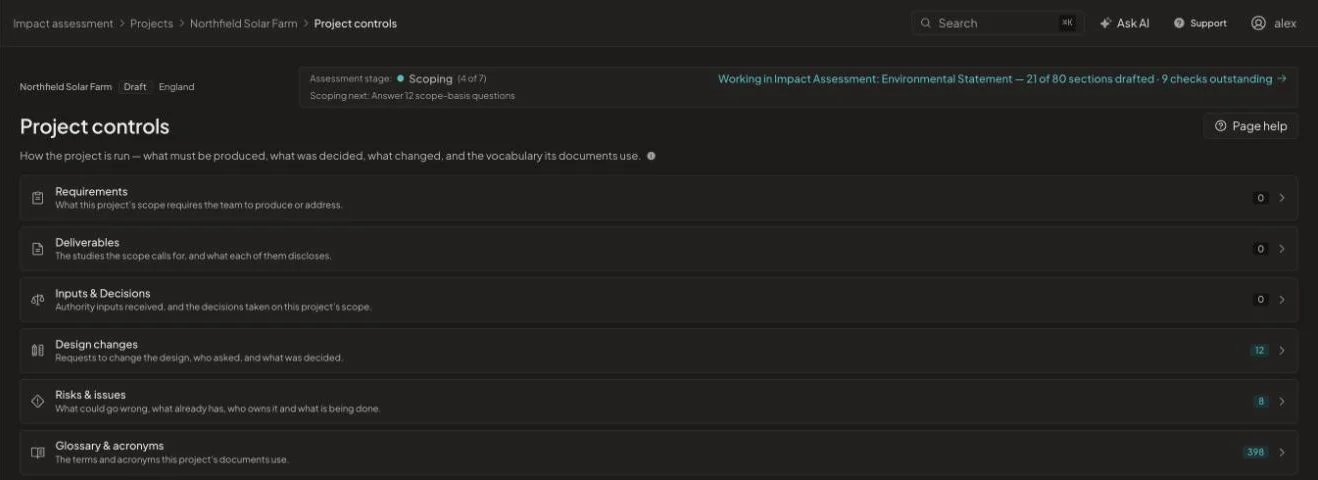
Requirements, deliverables, inputs and decisions, design changes, risks and issues, and a glossary of the terms and acronyms your documents use, all kept with the project.
History you can filter
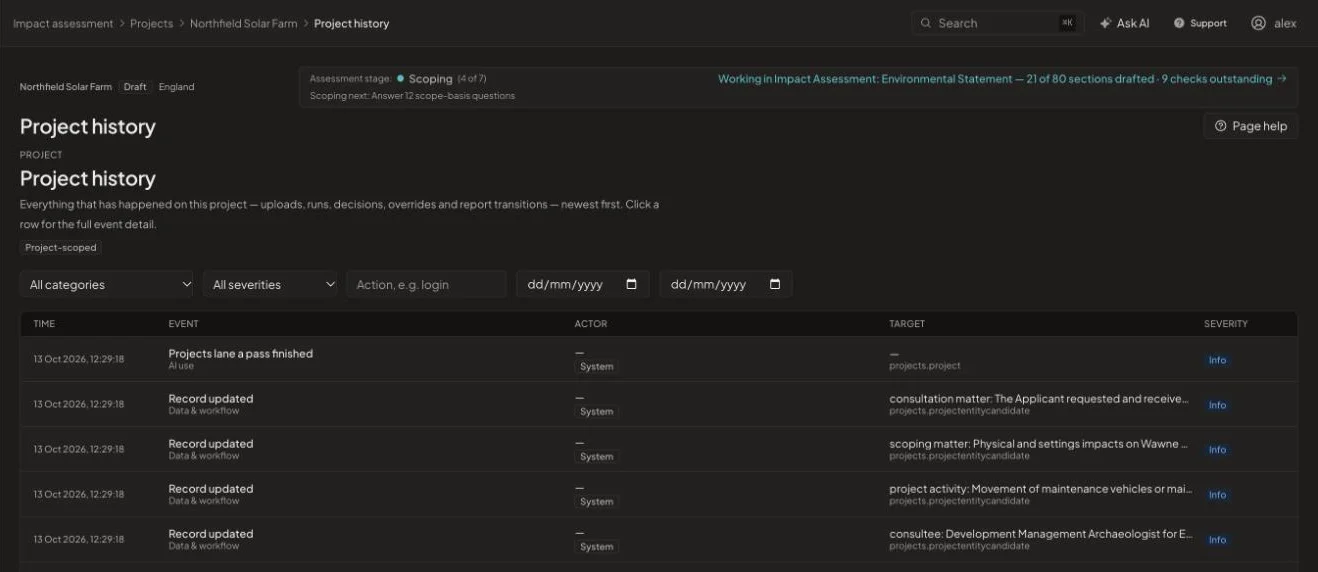
Every upload, AI run, decision, override and report transition is recorded with time, actor and target. Filter by category, severity or date when someone asks how a number changed.
How it works
From start to issue in four steps
- 1
Apply a template
Start from a work breakdown template or import your own.
- 2
Assign
Give each task an owner, a stage and a definition of done.
- 3
Track
Switch between list, board and timeline views.
- 4
Report
Produce progress reports from the live record.
See it on one of your projects
Book a 45-minute walkthrough. Bring a live or recent assessment and we will show you how it would run in EcoSphere Intelligence.