Platform
A governed workflow for environmental impact assessment
Six connected modules share one project record. What you capture during scoping is there when you draft the Environmental Statement, and what you commit to there is tracked after consent.
Lifecycle
Seven stages, one record
Every project moves through the same stages. At each one the platform shows what is outstanding and derives the work that clears it.
- 01SetupProject context, consent route, jurisdiction and team.
- 02DocumentsReports, plans and GIS data ingested and searchable.
- 03ScreeningThe EIA determination, recorded with its regulation.
- 04ScopingTopics scoped in or out, each with its evidence basis.
- 05Impact assessmentSignificance resolved from the method, not by hand.
- 06Submission & decisionApplication documents assembled and checked.
- 07Post-consent monitoringCommitments and conditions tracked to evidence.
Modules
What each part of the platform does
- Product screenshotSite & constraints map
Site & constraints
Scan the red-line boundary against designation and receptor layers, with every constraint carrying its distance and zone of influence.
Explore Site & constraints 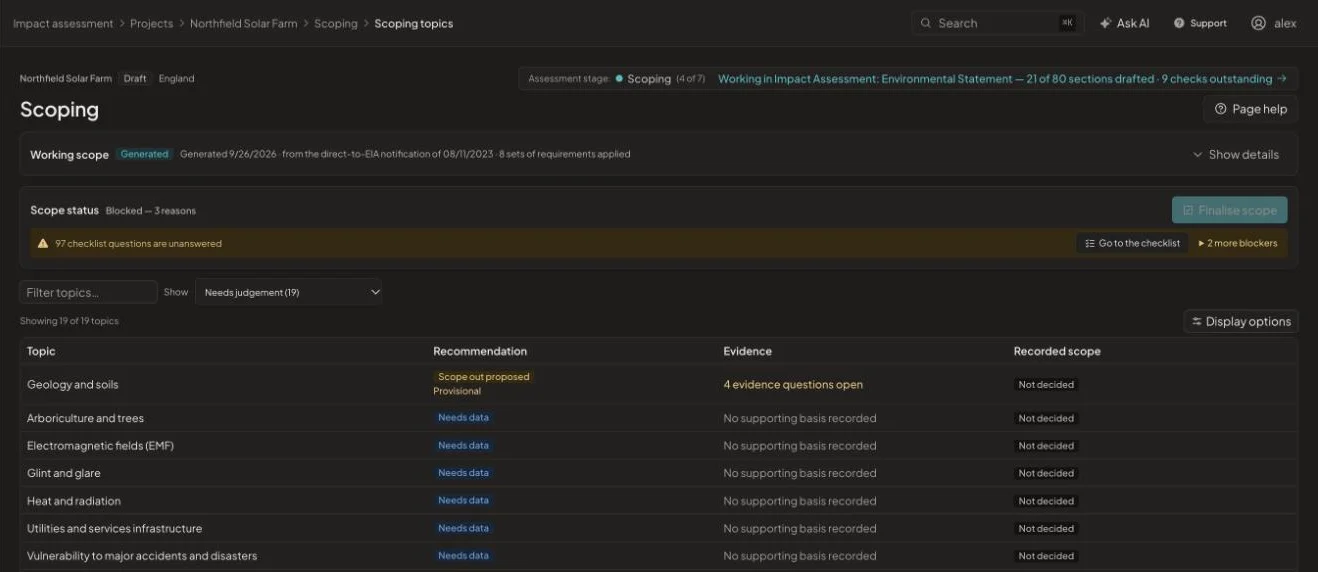
Screening & scoping
Record the screening outcome with its regulation, then scope each topic in or out with the evidence and statutory basis behind it.
Explore Screening & scoping- Product screenshotCommitments & conditions
Assessment registers
Commitments, conditions, consultation responses and legal references, each traced to the page and paragraph it came from.
Explore Assessment registers 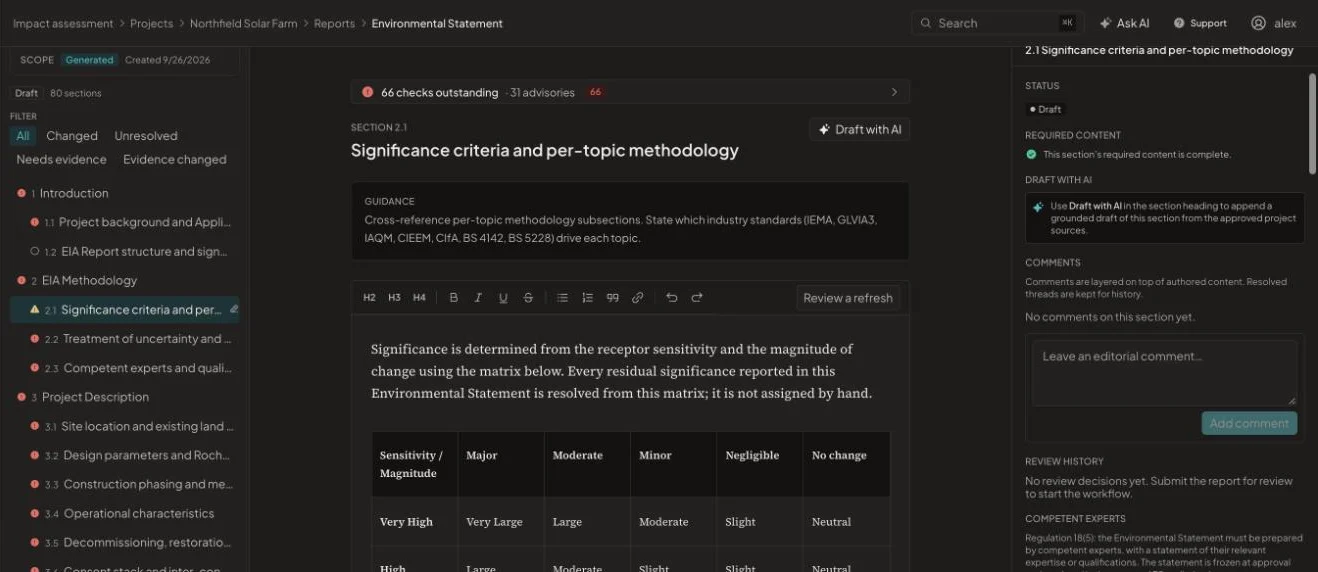
Environmental Statement
Chapters drafted from approved project sources, structured to the EIA Regulations and checked before review.
Explore Environmental Statement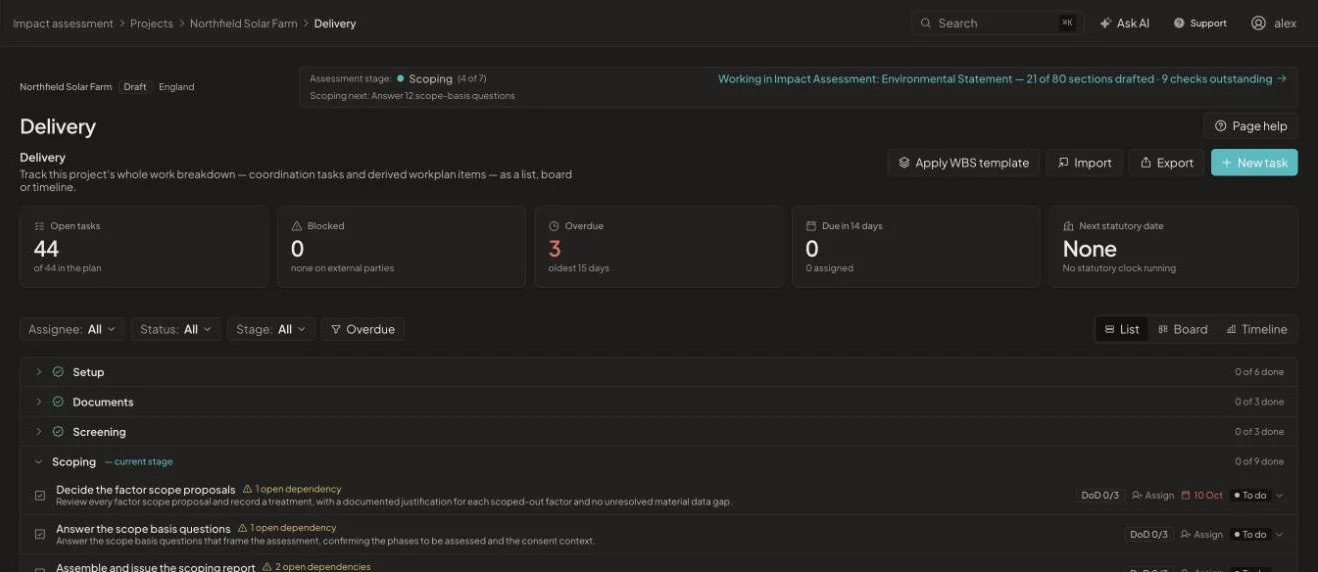
Delivery & controls
Work breakdown, statutory dates, design changes, risks and a full history of what changed and who changed it.
Explore Delivery & controls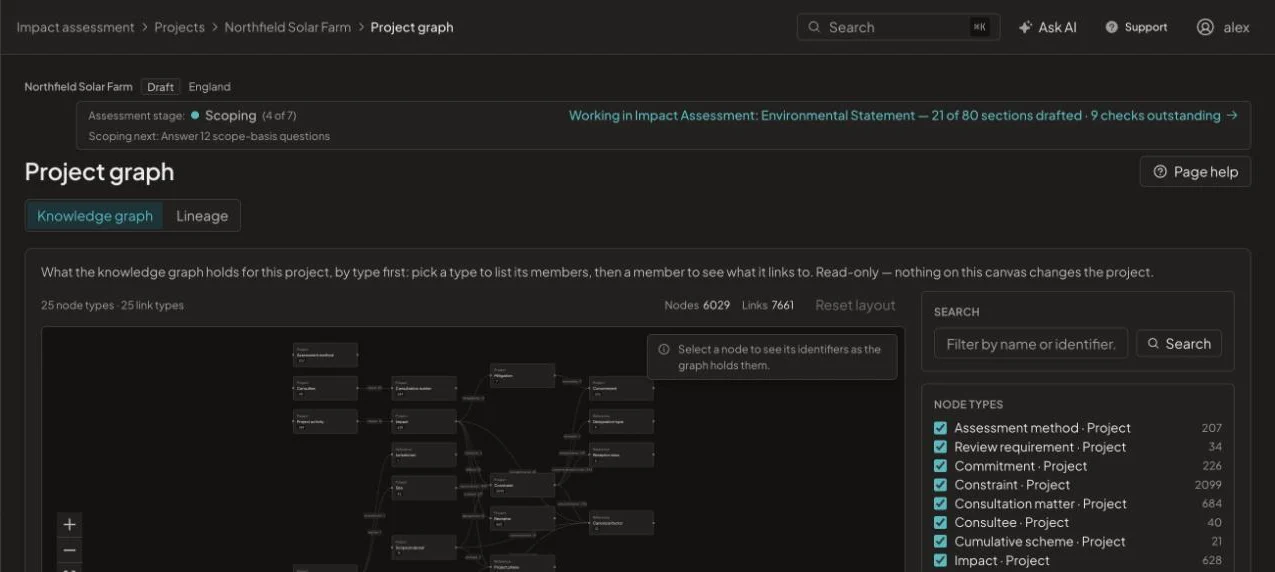
Knowledge & project graph
Regulatory packs, designation data and a project knowledge graph that links every record to the others.
Explore Knowledge & project graph
Under the hood
What every module shares
See it on one of your projects
Book a 45-minute walkthrough. Bring a live or recent assessment and we will show you how it would run in EcoSphere Intelligence.