Every commitment traced back to the page it came from
The platform reads your project's documents and proposes register entries for commitments, conditions and consultation matters. Each one keeps the document, page and quoted text it was taken from, so a reviewer can check it in seconds.
What changes
Assessment registers, before and after
Without it
- Commitments retyped from each chapter into a register
- No way to tell which paragraph a commitment came from
- Consultee points answered, but hard to find again
With EcoSphere Intelligence
- Commitments extracted with chapter, page and quote
- Responsible party, phase and status on every entry
- Consultation matrix showing where each issue is dealt with
205 commitments extracted from 15 documents on one pilot project, each with its page reference.
Extraction you can check
Run extraction over a set of documents and review what it proposes before anything enters the register. Each commitment shows how it is secured, which chapter and page it came from, and the exact sentence quoted.
- Mitigation and management commitments
- Externally imposed conditions
- Tagged by development phase
One place for the records a chapter cites
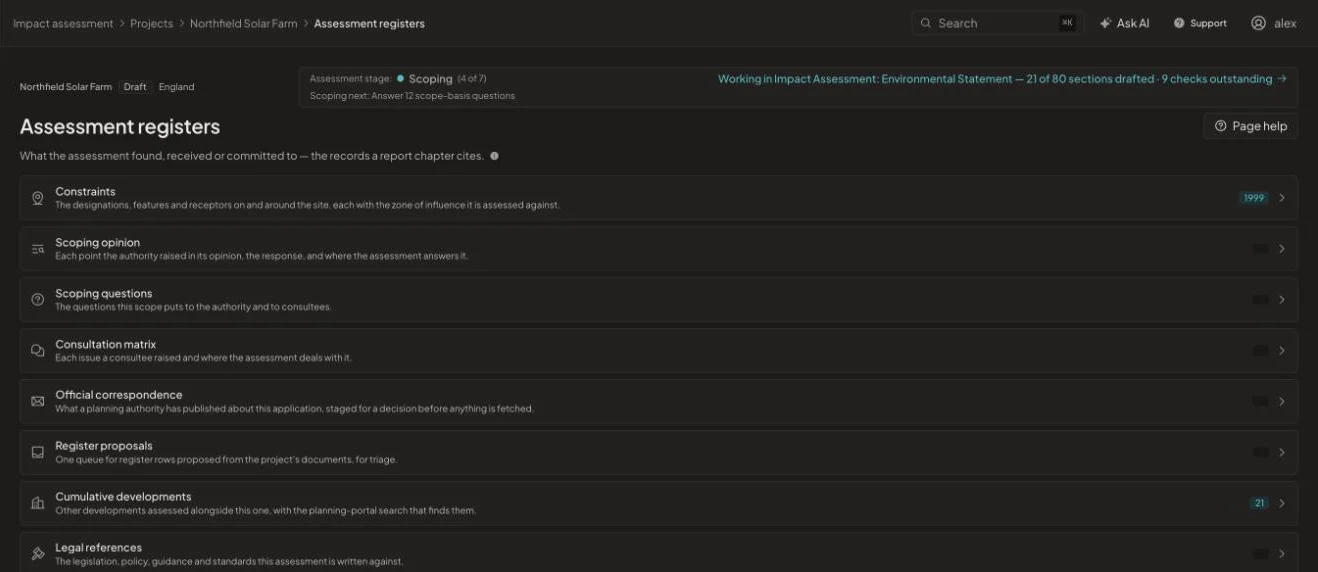
Constraints, scoping opinion, scoping questions, consultation matrix, official correspondence, cumulative developments and legal references sit together, so a chapter can cite the record instead of retyping it.
How it works
From start to issue in four steps
- 1
Add documents
Upload chapters, appendices and correspondence, or link a SharePoint library.
- 2
Extract
The platform proposes register entries with their sources.
- 3
Review
Accept, edit or reject each proposal. Nothing enters a register unreviewed.
- 4
Issue
Export the register or publish it to SharePoint.
See it on one of your projects
Book a 45-minute walkthrough. Bring a live or recent assessment and we will show you how it would run in EcoSphere Intelligence.