Chapters drafted from approved sources and checked before review
Each deliverable follows the structure your regulations require. Sections can be drafted from the approved project record, and the platform lists the checks still outstanding before a chapter goes to review.
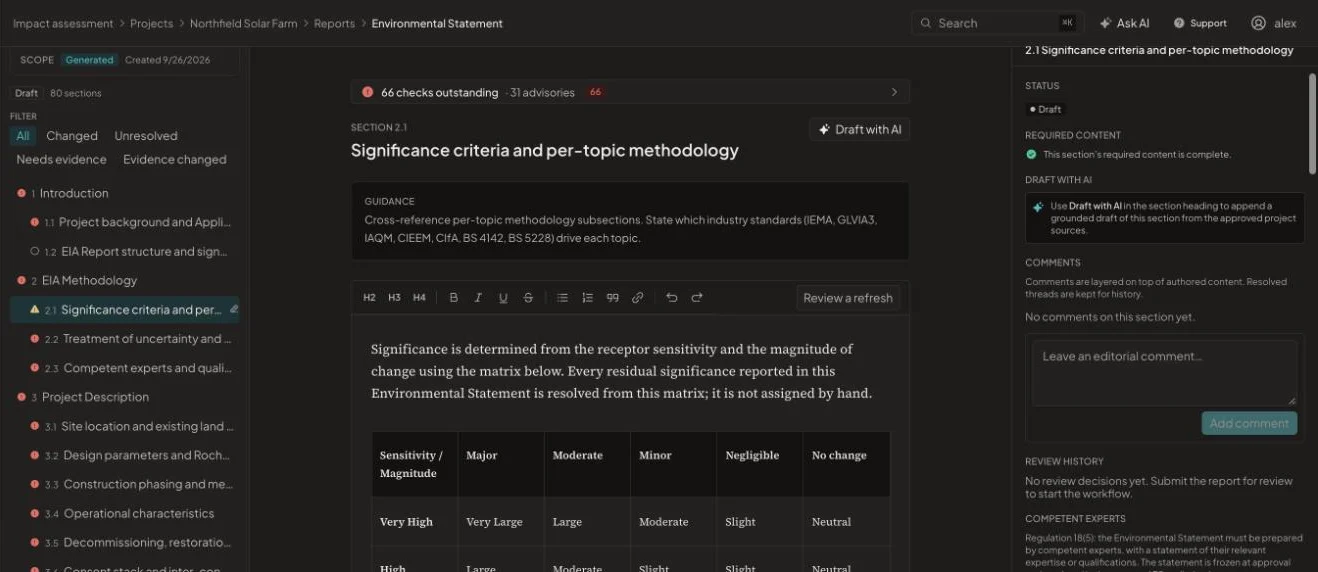
What changes
Environmental Statement, before and after
Without it
- Chapter templates that drift between projects
- Significance tables edited cell by cell
- Gaps against Schedule 4 found at the last review
With EcoSphere Intelligence
- One structure per deliverable, tracked against the regulations
- Significance resolved from the project method
- Outstanding checks listed section by section
The deliverables your consent route needs
EIA notification, scoping report, Preliminary Environmental Information Report, Environmental Statement, Non-Technical Summary and consultation report, each with a structure your team can see and edit.
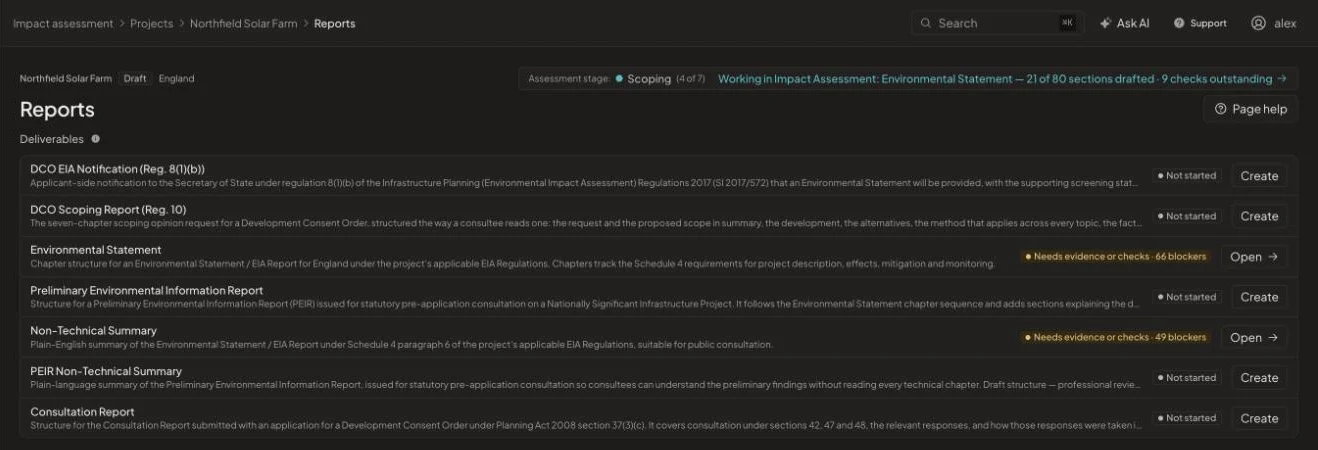
Drafting that shows its working
Draft a section from the approved project sources, then edit it like any document. Residual significance is resolved from the sensitivity and magnitude matrix your method defines, and every section shows whether its required content is complete.
- Section guidance and required content
- Editorial comments and review workflow
- Competent experts statement under regulation 18(5)
- Export to Word or PDF
How it works
From start to issue in four steps
- 1
Generate the structure
The deliverable is scaffolded from the agreed scope.
- 2
Draft
Write, or draft sections from approved sources, section by section.
- 3
Check
Clear the outstanding checks and advisories.
- 4
Review and issue
Submit for review, resolve comments and export.
See it on one of your projects
Book a 45-minute walkthrough. Bring a live or recent assessment and we will show you how it would run in EcoSphere Intelligence.